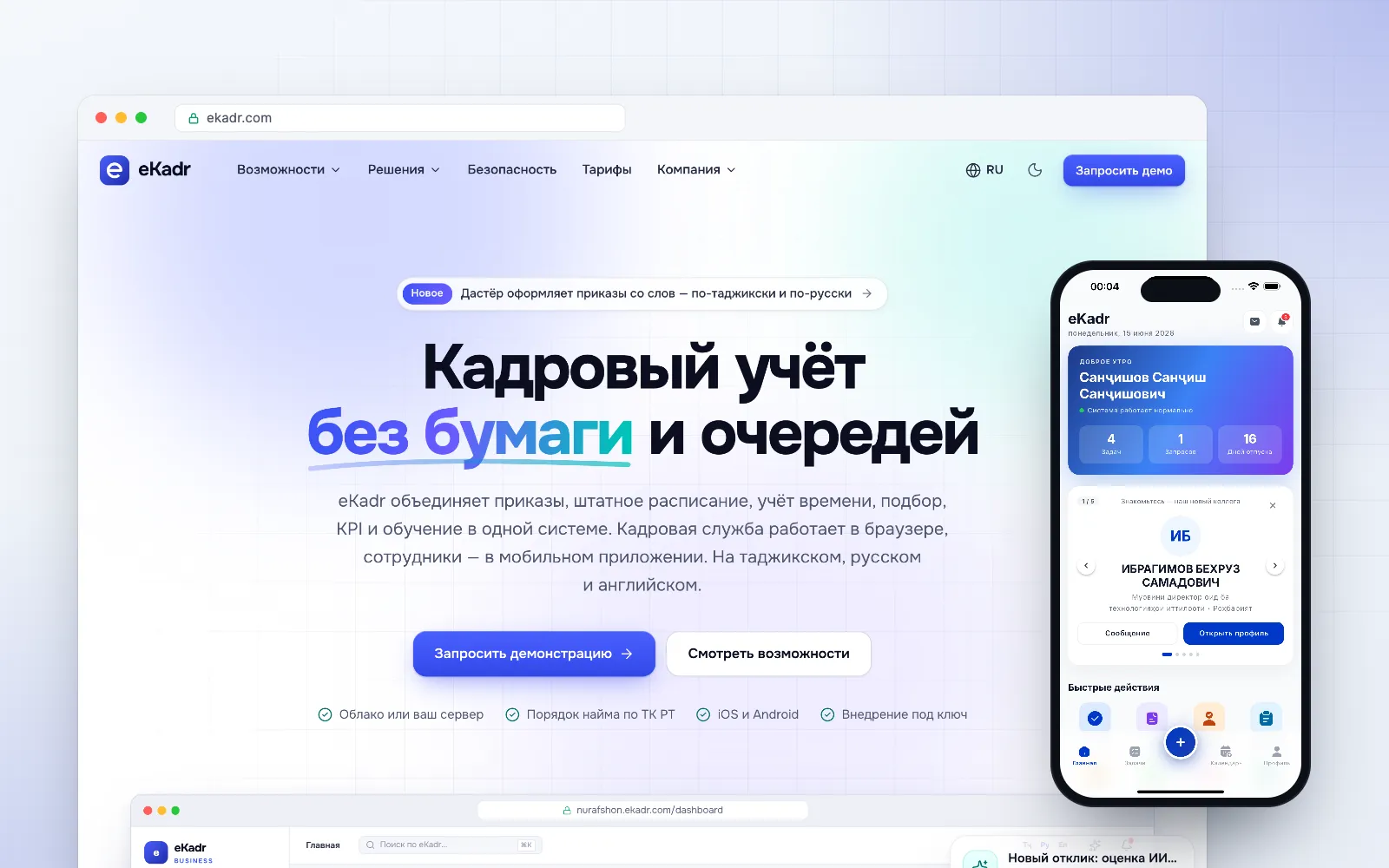
A paperless HR platform built around the Labour Code of Tajikistan: orders, staffing, time tracking, recruitment, KPI and learning, plus projects, tasks and annual work plans — in the browser for HR and managers and in a mobile app for employees.
modules, from HR orders to projects and work plans
20+
AI functions, from HR orders to annual plan import
10
automated tests
2,000+
The challenge
Most HR departments in Tajikistan still run on paper, Excel and queues at the HR office. Generic foreign HR software does not follow local labour law, does not speak Tajik and cannot be installed on government servers.
Our solution
We designed eKadr as a complete HR suite with separate editions for the public and private sectors. It runs in the cloud or on the customer’s own servers, follows the national hiring procedure step by step and includes an AI assistant that drafts HR orders from a short text request in Tajik or Russian. An approved annual work plan is uploaded as a single file: AI recognises the items, deadlines and responsible staff and turns them into tasks with progress reports.
Key features
AI assistant “Dastyor”: HR orders drafted from a request in Tajik or Russian, applied after human confirmation
AI recognition of Tajik passports and ID cards (16 fields)
Employee records, org structure and staffing table
HR orders and employment contracts with approval routes
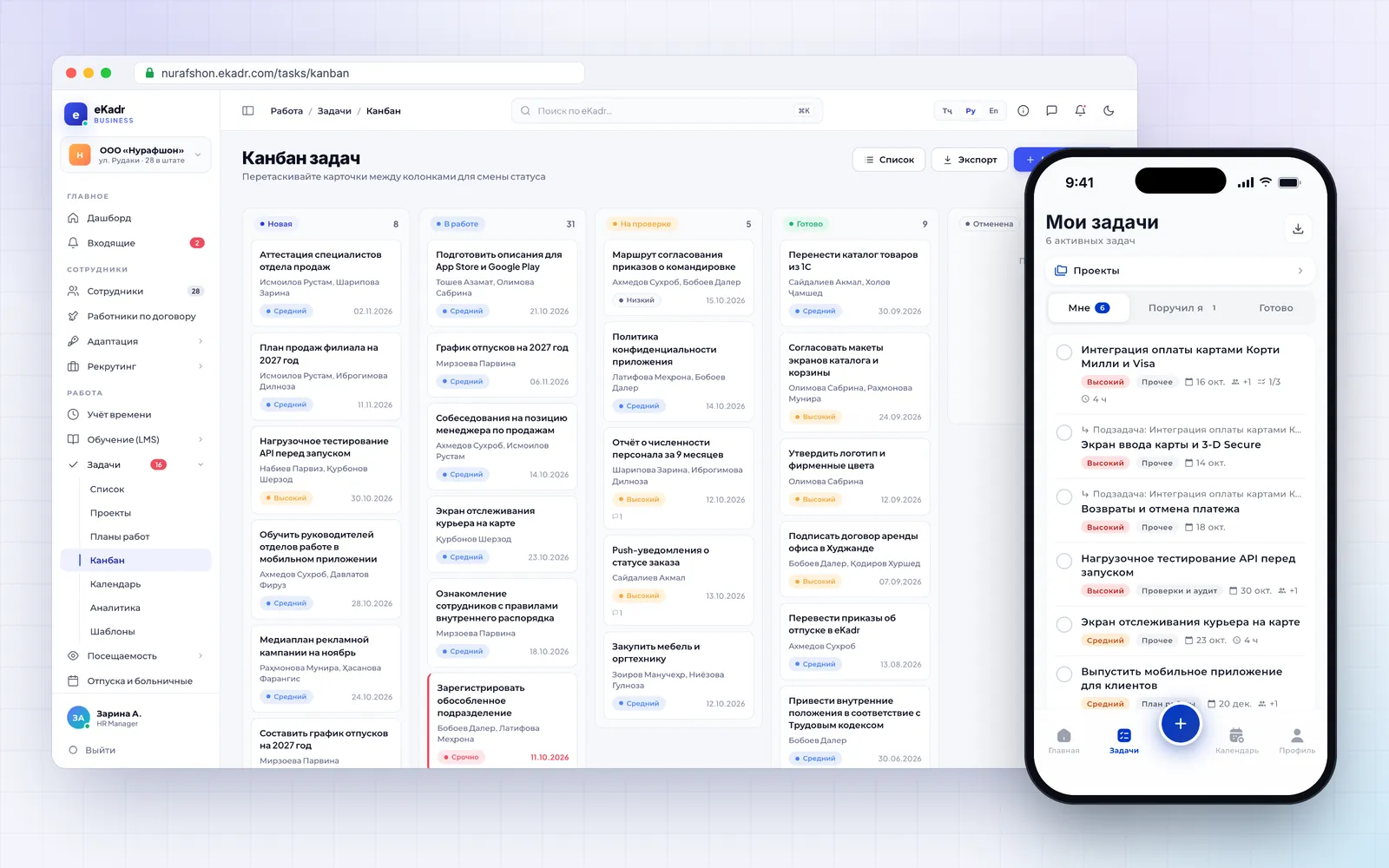
Projects and tasks: kanban, result review, time tracking
Annual work plans: AI import of the approved plan and progress reports
Time tracking with face-recognition terminals and geo check-in
Recruitment with AI résumé scoring, onboarding, KPI, goals (OKR) and learning (LMS)
Mobile app with home-screen widgets (iOS & Android)
Granular permissions and two-factor authentication
What’s inside
HR records and documents
Employee records, org structure and staffing table; staffing changes go through an order
HR orders and employment contracts from templates, with approval routes
AI recognition of Tajik passports and ID cards: 16 fields of the employee card
Contract workers: fixed-term or service contracts, without an order or a staffing unit
Document acknowledgement and employment-certificate requests from the mobile app
Time and attendance
Face-recognition terminals: a live entry log with photos
Geo check-in from the mobile app at the organisation’s locations
Daily attendance: who is in, who is late, who is absent
Timesheets, work schedules, leave, sick leave and time off
Projects and tasks
Projects with a team: manager, members and observers, deadlines and progress
Tasks with several assignees and co-executors, subtasks, checklists and time tracking
Kanban, calendar, analytics and task templates
Submit for review: the author accepts or returns the work; the assignee can ask to move the deadline
Rules on who may assign tasks to whom, and export to Excel and PDF
AI-powered work plans
Upload the approved annual plan: scanned PDF, Word, Excel or a photo
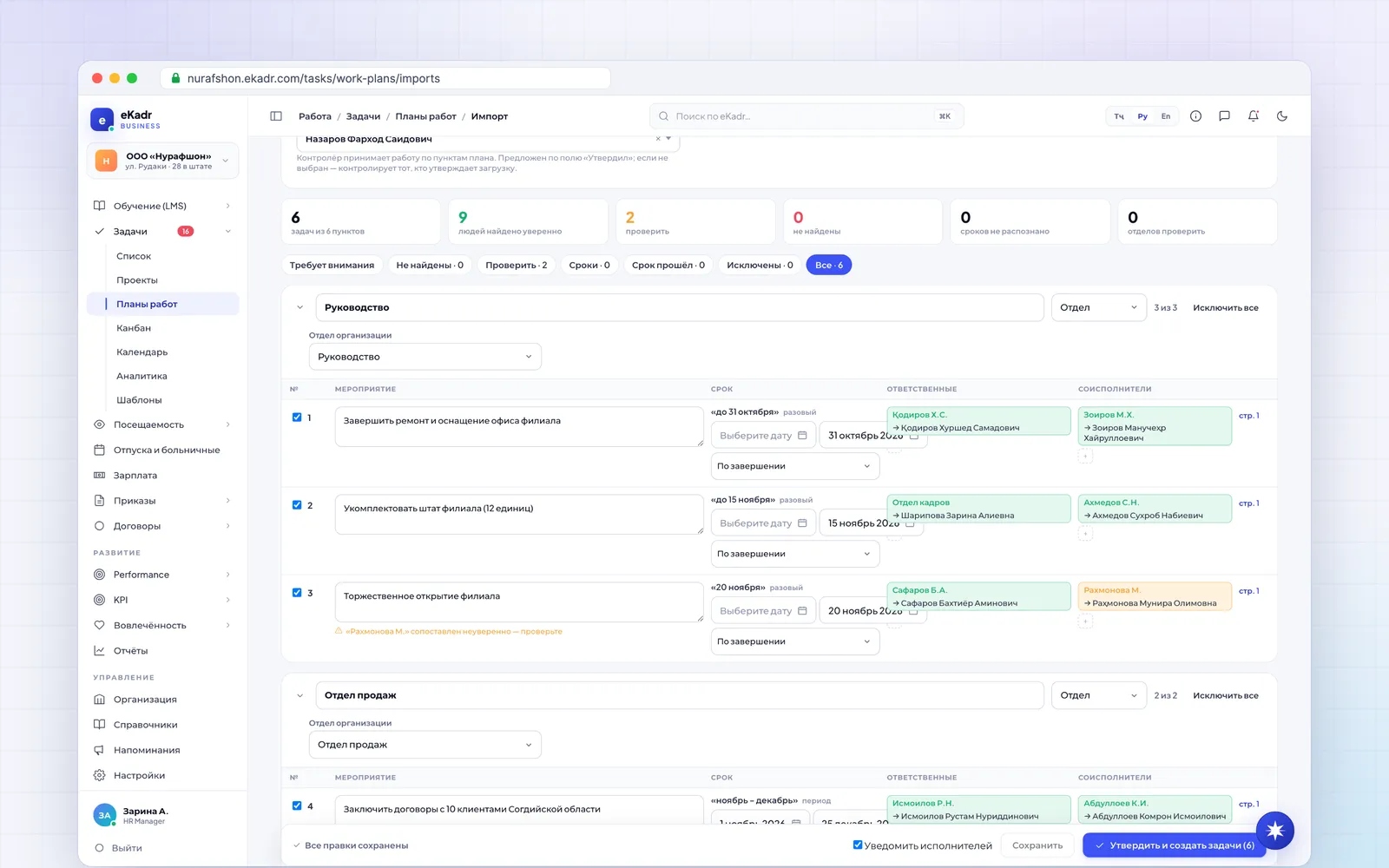
AI recognises sections, items, deadlines and responsible staff and matches surnames to employees
A person reviews the draft, then tasks are created with one click
A “monthly” item is one task for the year with a report for each period; the plan controller accepts the work
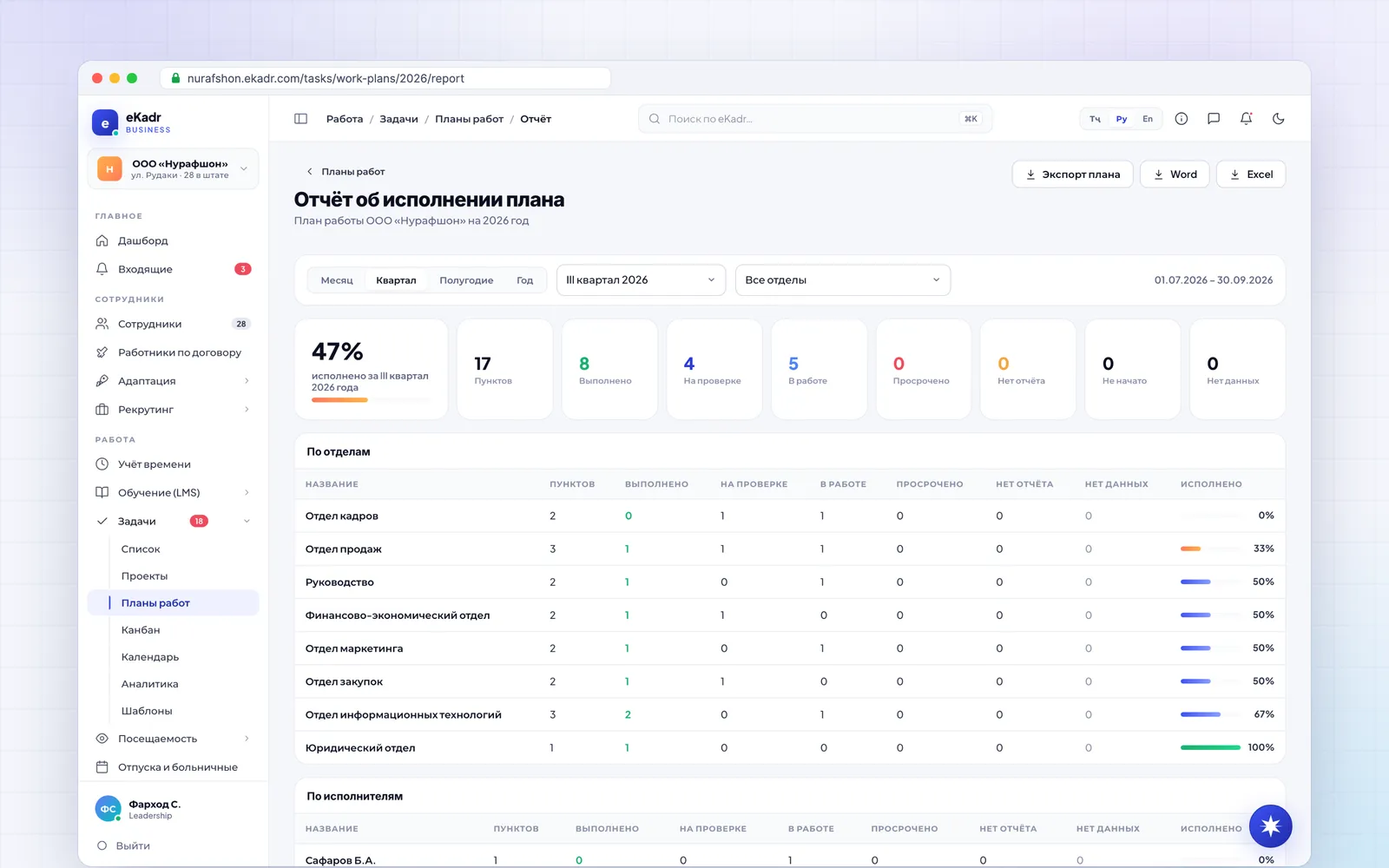
Progress report by month, quarter, half-year and year — by department and assignee, export to Word and Excel
Meetings and calendars
Meetings with participants, invitations and responses
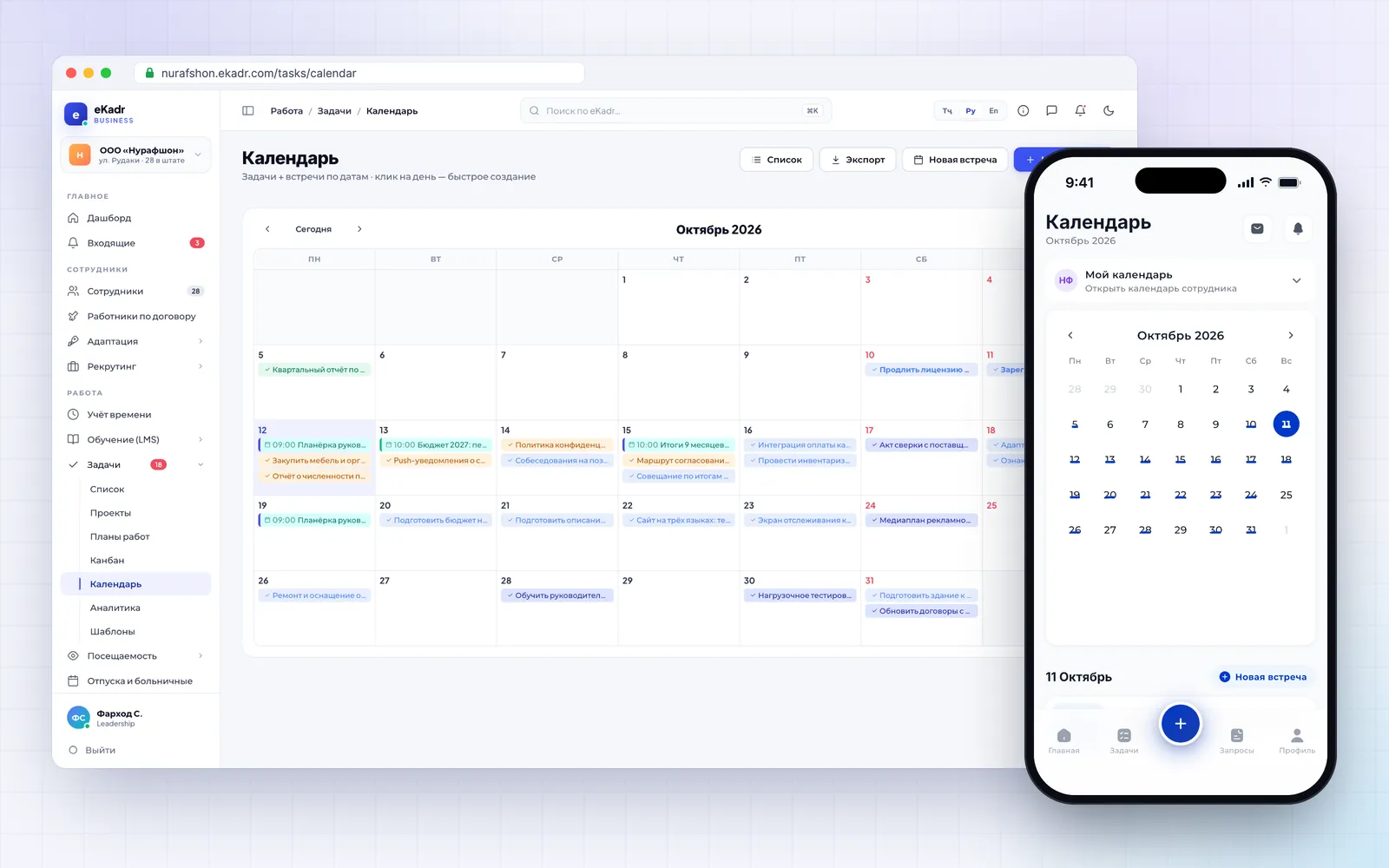
Manager calendars: department heads and curators see their staff’s calendars
The director’s calendar, kept by an assistant
ICS subscription and sync of meetings with the phone calendar
Recruitment, performance and development
Recruitment with AI résumé scoring and checks against the job requirements
Onboarding for new employees: a plan, materials and tests
KPI with an AI builder for indicators
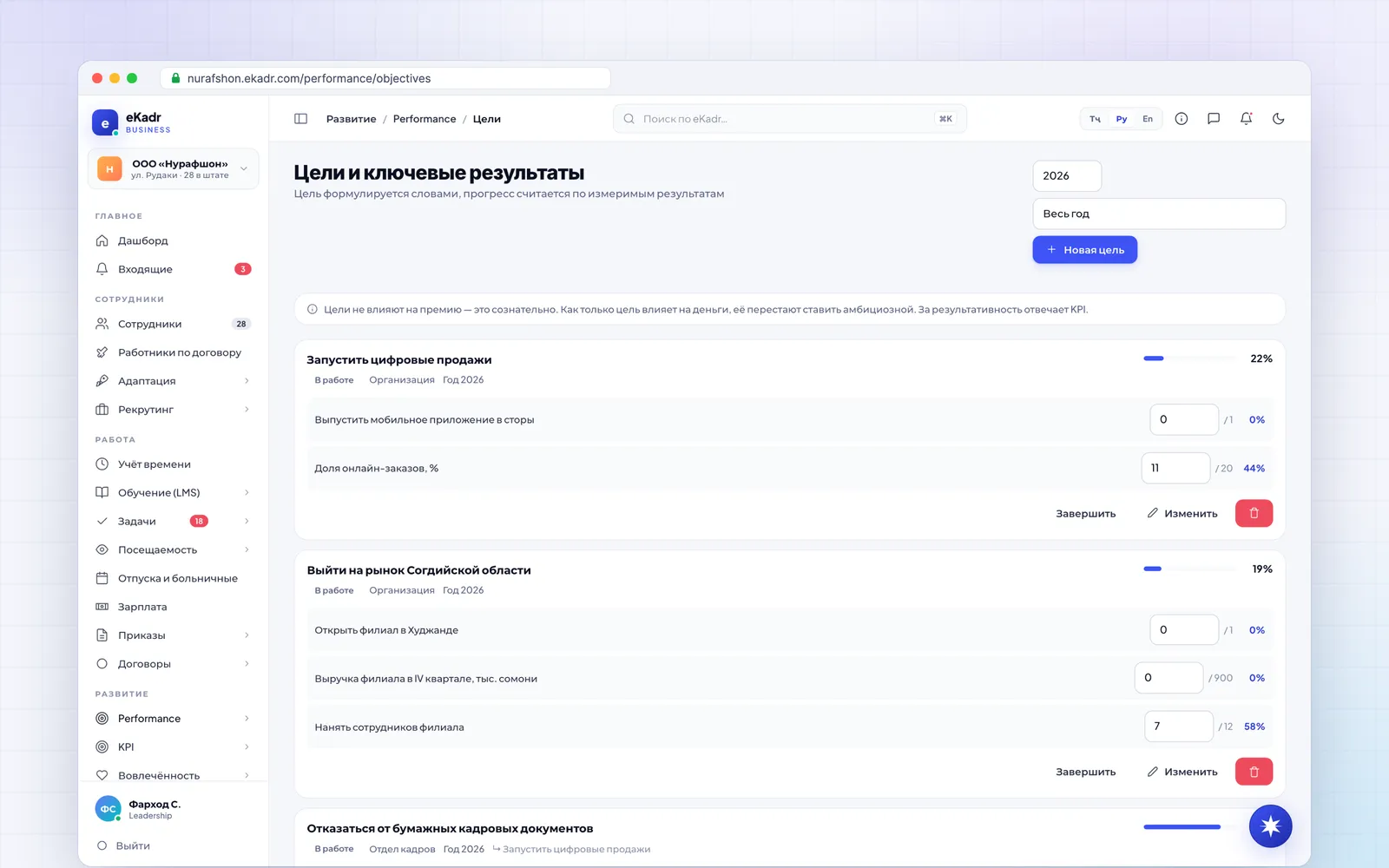
Objectives and key results (OKR), 9-box grid, 1:1 meetings and appraisals
360° reviews, surveys and learning (LMS) with AI answer checking
Mobile app
Separate screens for employees, managers and HR — iOS and Android
Home screen “Needs attention”: work to review, reports to accept, today’s late arrivals
Tasks “For me / Assigned by me / In review / Done”, projects and the plan report
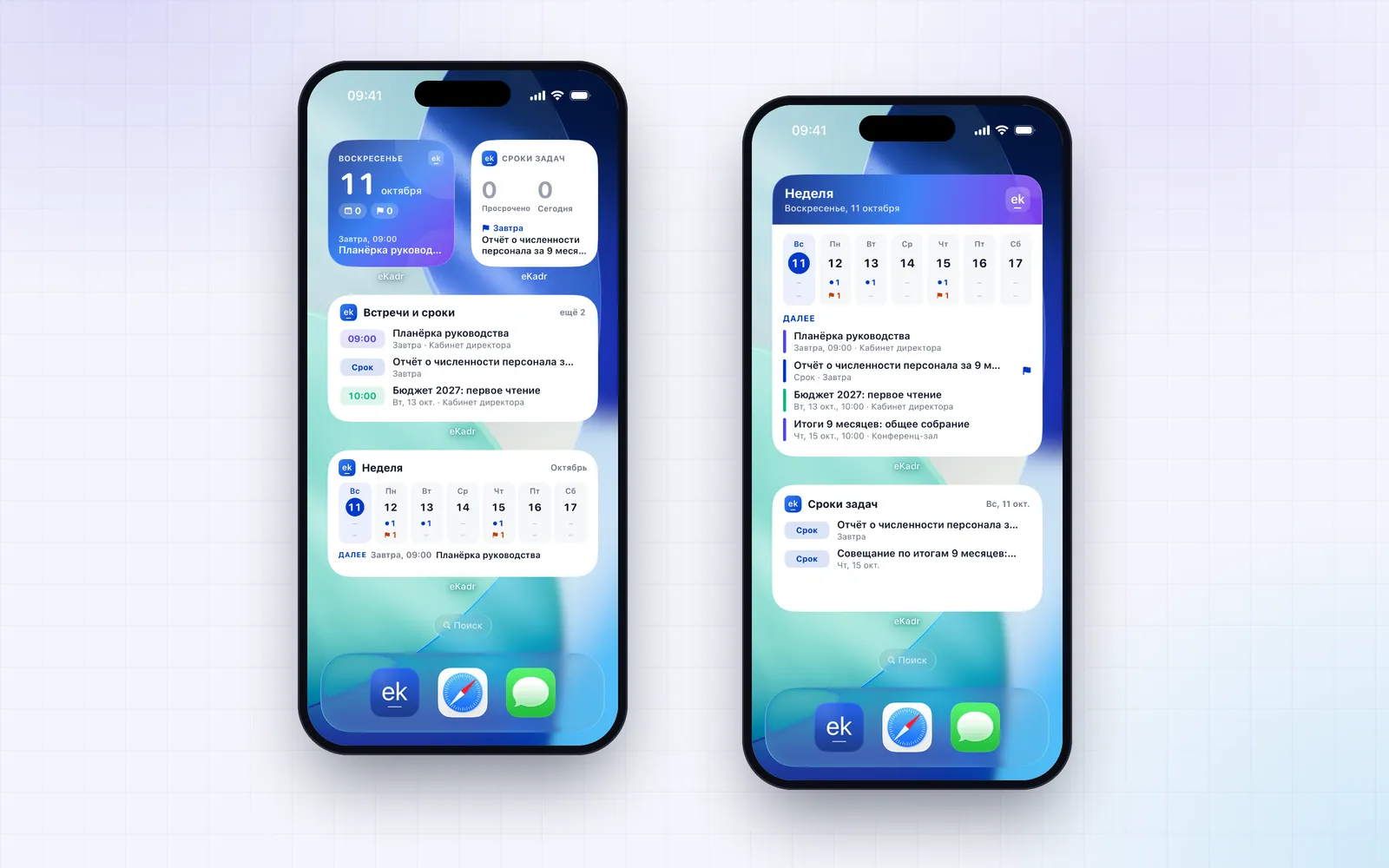
Home-screen widgets “Today”, “Task deadlines”, “Week”, and on iPhone also on the lock screen
A push notification for every event, chat with attachments, company feed
Notifications, security and deployment
Inbox, push and real-time updates; the organisation’s own Telegram bot
Emails sent on behalf of the organisation and automatic birthday greetings
Roles and granular permissions; the role is assigned from the position at hiring
Two-factor authentication in the web app and an audit log
Cloud or the customer’s server; editions for the public and private sectors
Screenshots
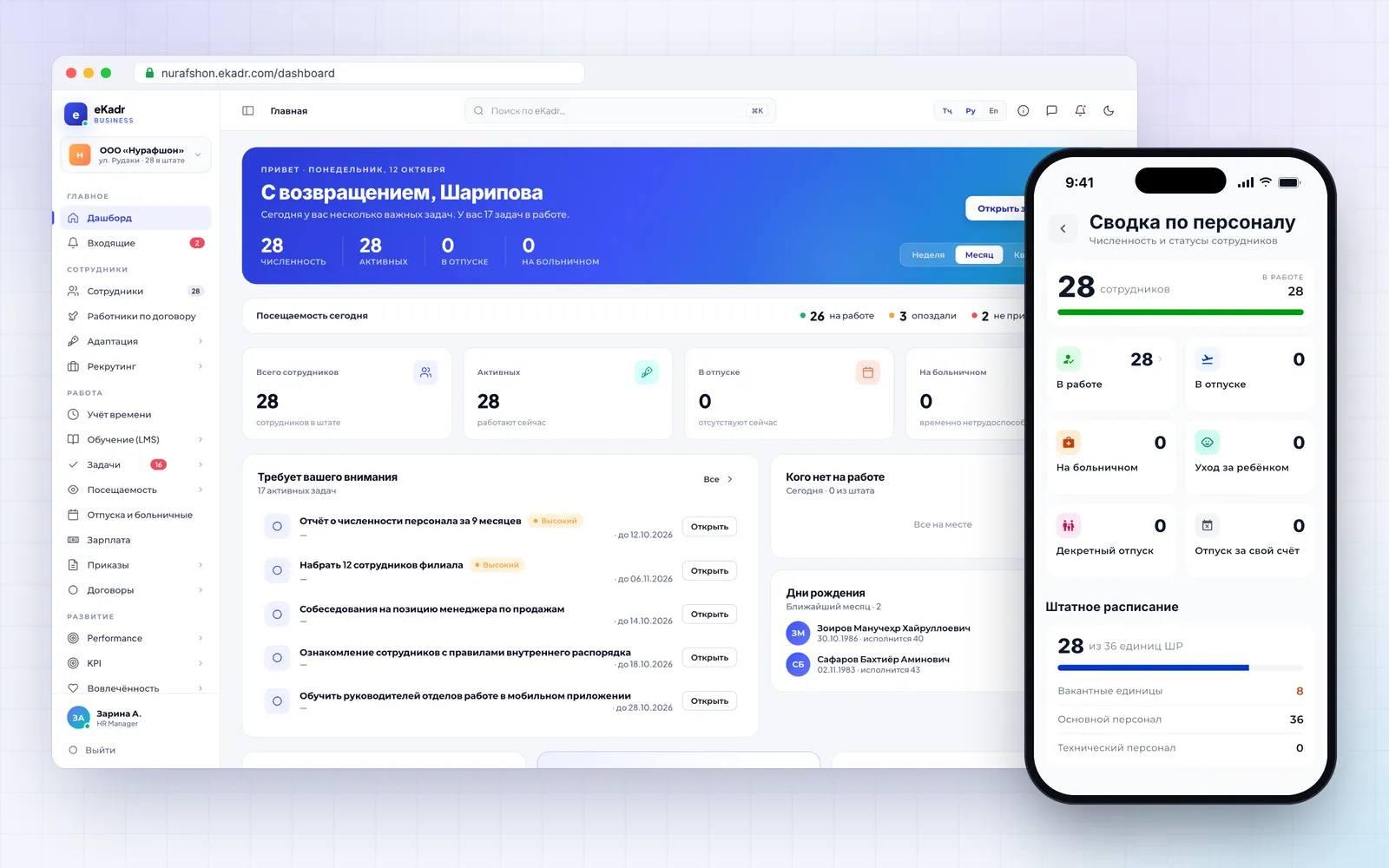
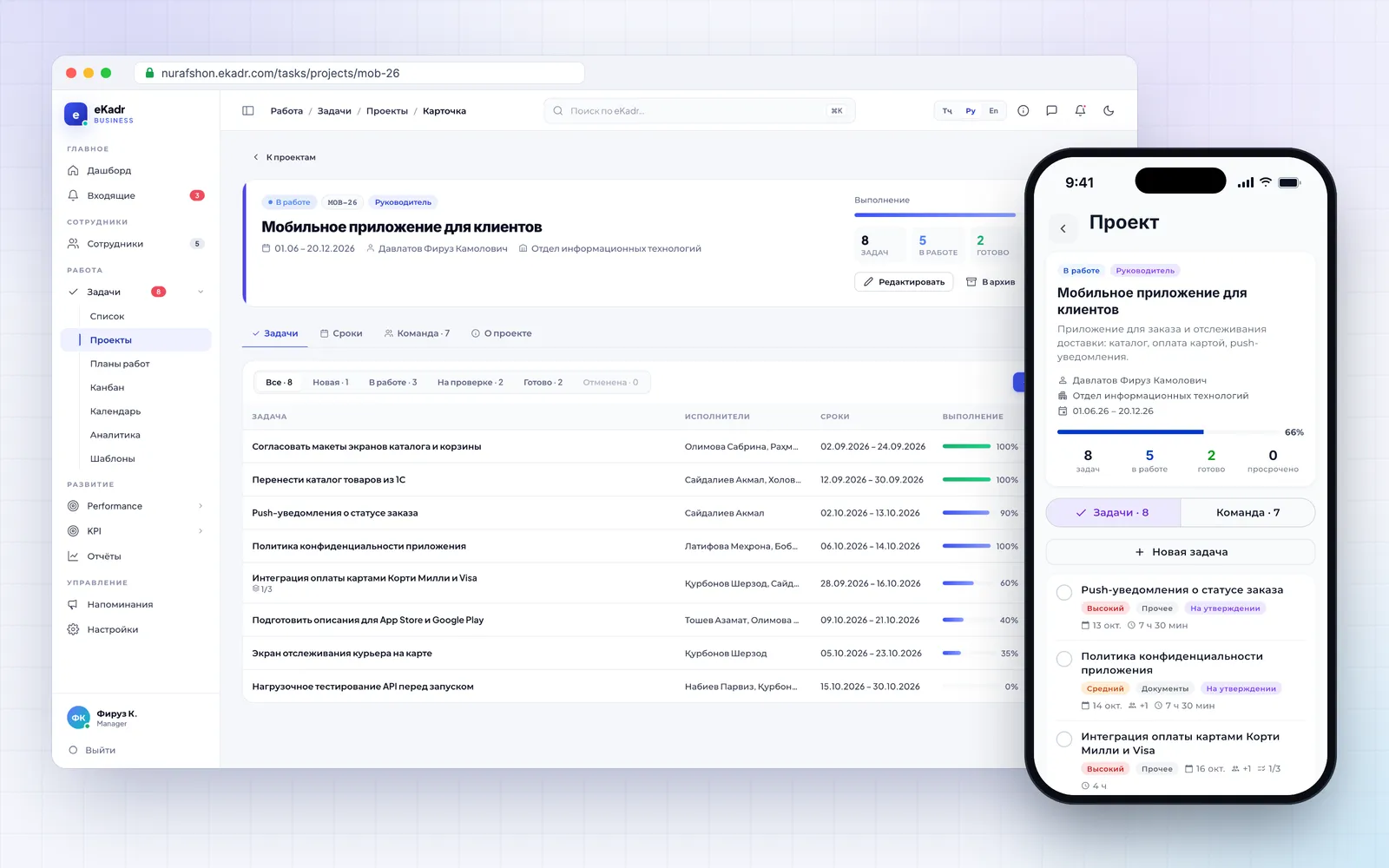
The HR dashboard: headcount, today’s attendance and tasks that need attention. In the app, the staff summary and staffing table.The “Customer mobile app” project: tasks, deadlines, team and progress — in the browser and in the app.Task kanban from “New” to “Done” with a review stage. In the app, an employee’s tasks with subtasks, deadlines and logged time.Importing an approved plan: AI recognised the items, deadlines and responsible staff, matched surnames to employees and flagged doubtful matches. A person reviews and approves.Plan progress report for Q3: done, in review and overdue — by department and assignee, with export to Word and Excel.The manager’s calendar: meetings and task deadlines for the month. In the app, the same month with meetings and deadlines marked.eKadr widgets on the iPhone home screen: upcoming meetings, task deadlines and the week — without opening the app.Objectives and key results (OKR) for the organisation and departments: cascading goals and progress on measurable results.
Real eKadr screens with demo data: the “Nurafshon” organisation and its staff are fictional.