Personal assistant for tasks, habits and money · Android & iPhone
LifeAPP
An everyday personal assistant: tasks, habits, money, projects and a journal in one app. Say one sentence in Tajik, Russian or English and LifeAPP turns it into expenses, income and tasks by itself. It works offline, and with an account it syncs devices and brings partners together in teams with shared projects and wallets.
To manage tasks, habits and money people juggle three or four apps, nearly all of them in English. Entry is tedious: every expense or task goes through a form, so people soon give up. No app offers a Tajik interface or understands Tajik speech, and courses and small businesses lack a simple way to track plan vs actual for each cohort and keep a shared wallet with a partner.
Our solution
We built LifeAPP end to end: a Flutter app for Android and iPhone that keeps everything on the phone and works offline, and a Go server for accounts, sync and teams. Voice capture understands mixed speech: Russian and English on the phone, plus Tajik in the cloud through Google Gemini. One sentence becomes several records with amounts, categories, accounts and dates. We added home-screen widgets, a guided tour on first launch, and plans paid through Alif on the website or as an App Store subscription.
Key features
Voice capture: one sentence becomes an expense, income and a task at once
Tajik, Russian and English — both the interface and speech recognition
Tasks, projects, repeats, reminders and smart lists
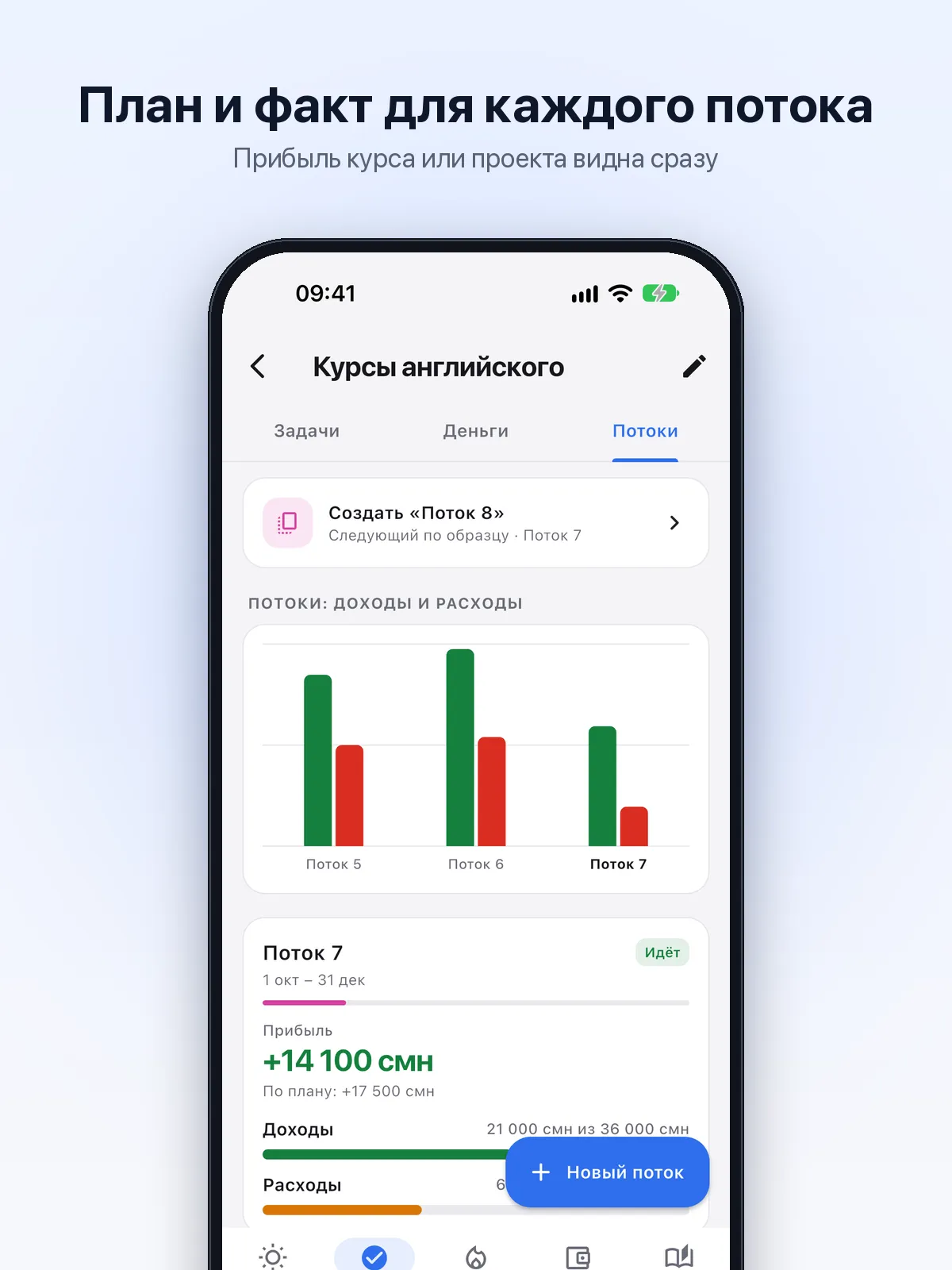
Projects with cohorts: planned vs actual income and expenses, profit
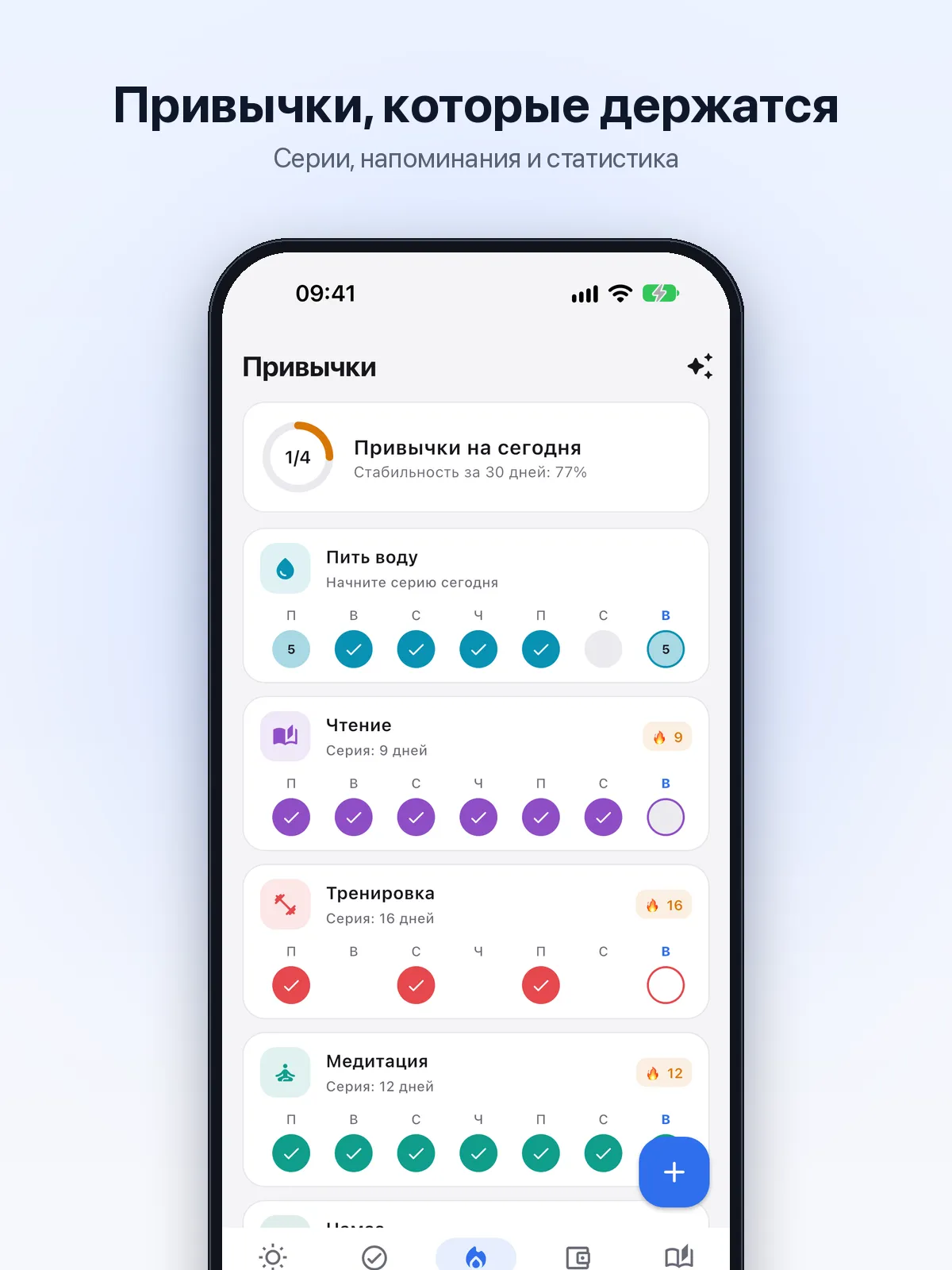
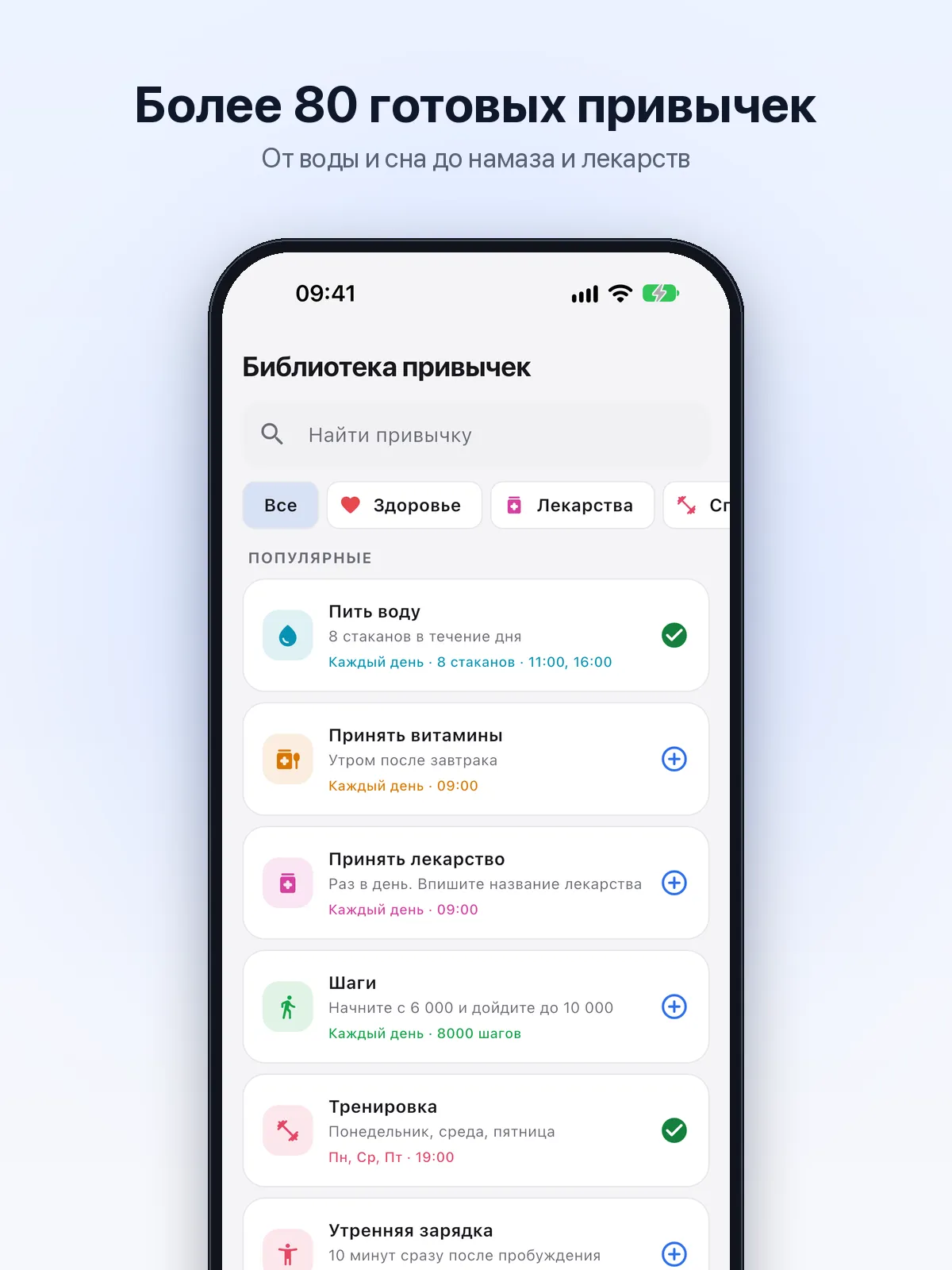
Habits with streaks, reminders and a library of 80+ ready-made ones
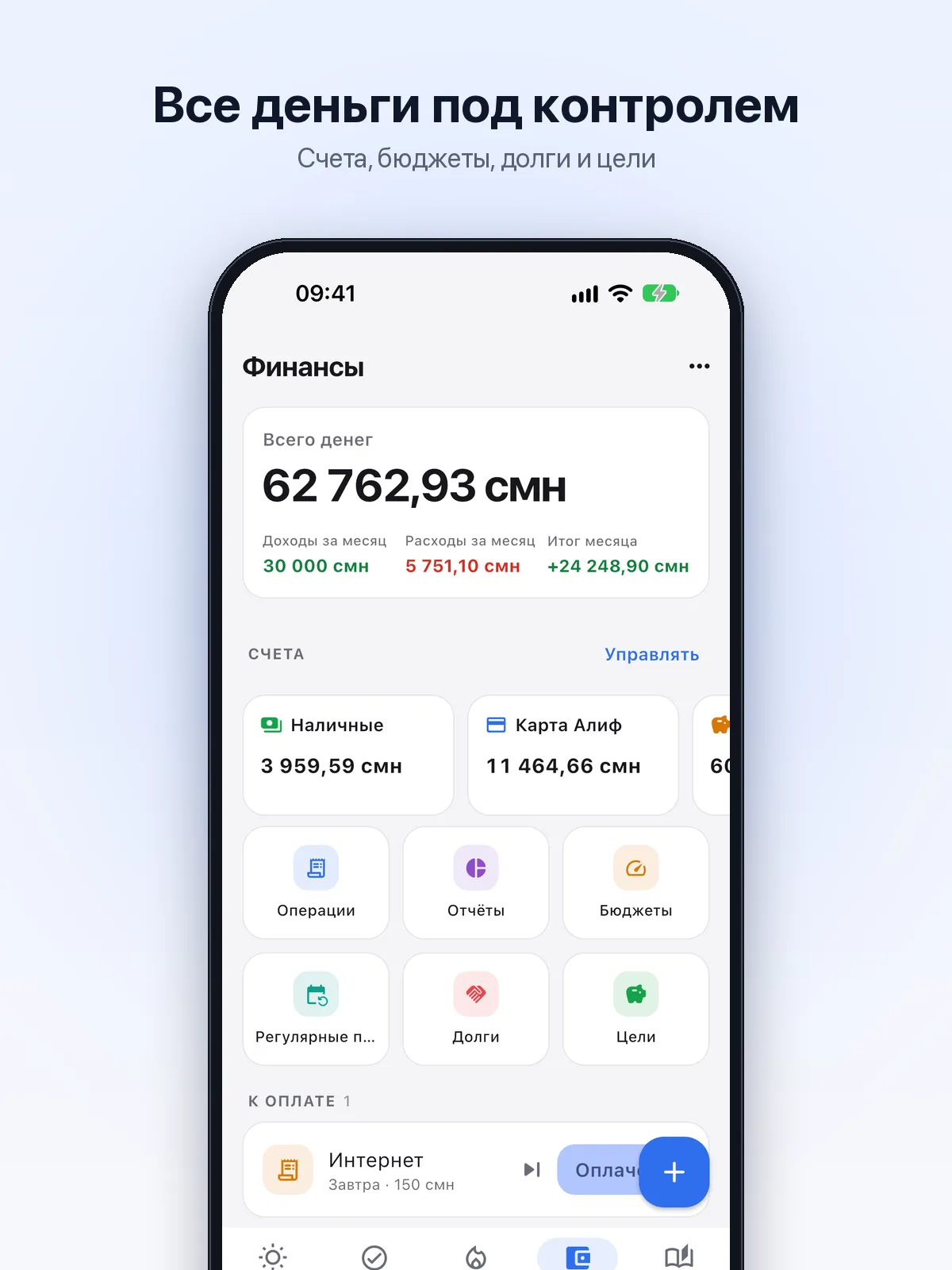
Money: multi-currency accounts, budgets, debts, goals and reports
Mood journal and weekly review
Works offline; with an account — sync and teams
Home-screen widgets, with habits ticked right on the widget
What’s inside
Voice capture
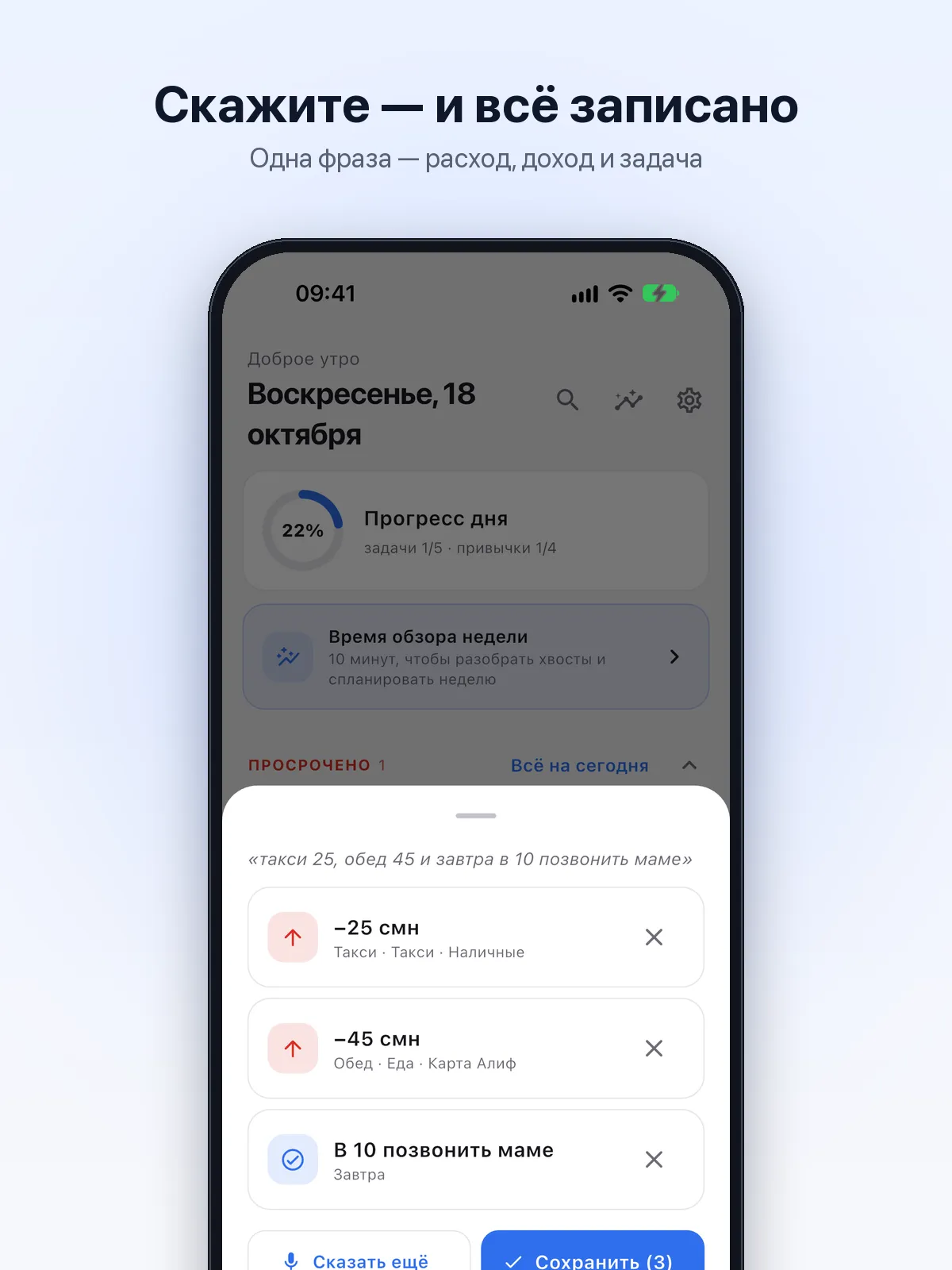
One sentence, several records: “taxi 25, lunch 45 and call mum tomorrow at 10”
Amounts, currencies, dates, times, categories, accounts and projects are picked up automatically
Offline the phone recognises speech; in the cloud Google Gemini understands Tajik too
Records save themselves after 2 seconds; one Undo takes everything back
Voice is always one tap away: “+” on screen, the app-icon shortcut, a widget button and iPhone Control Center
Tasks and projects
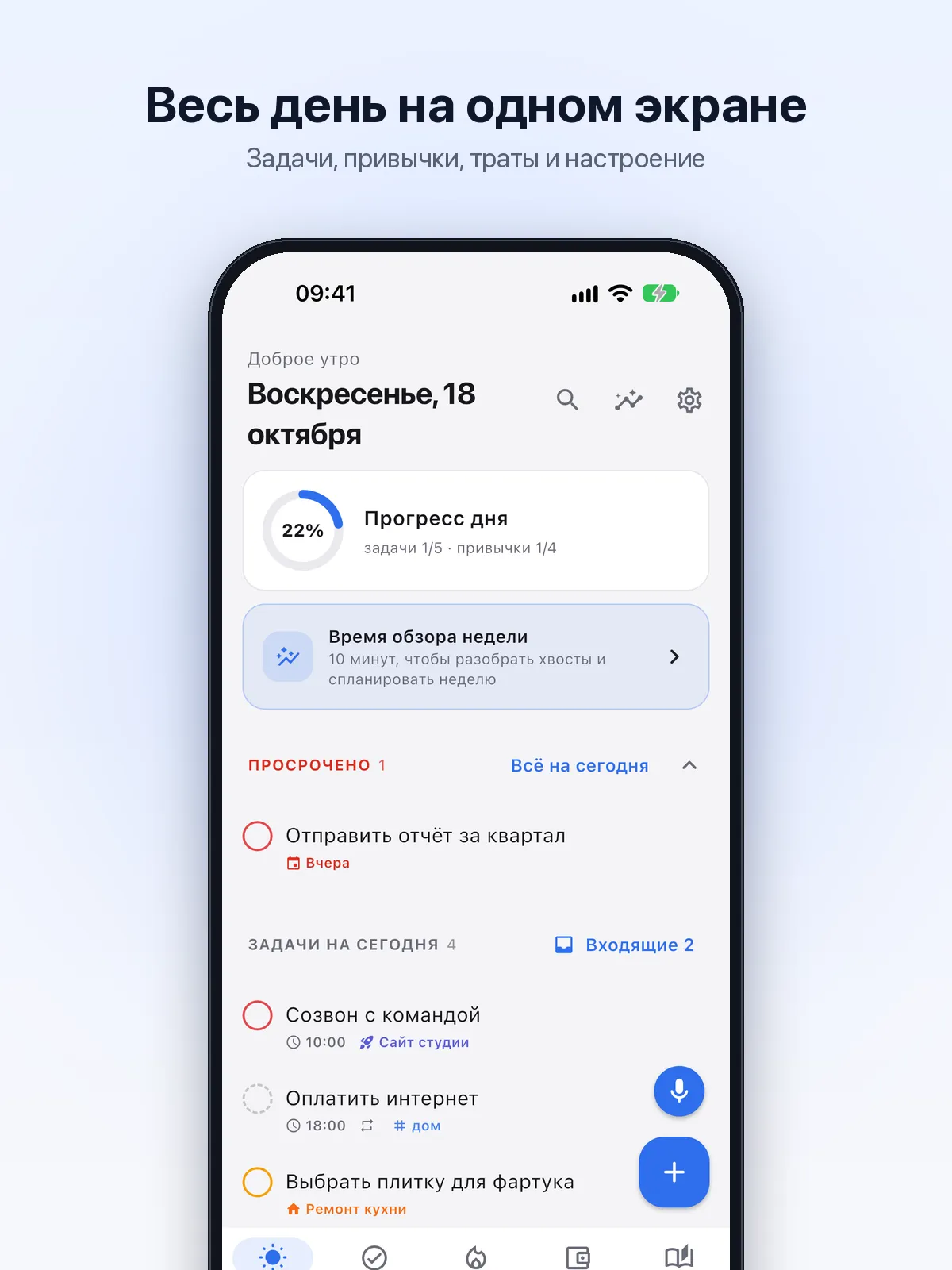
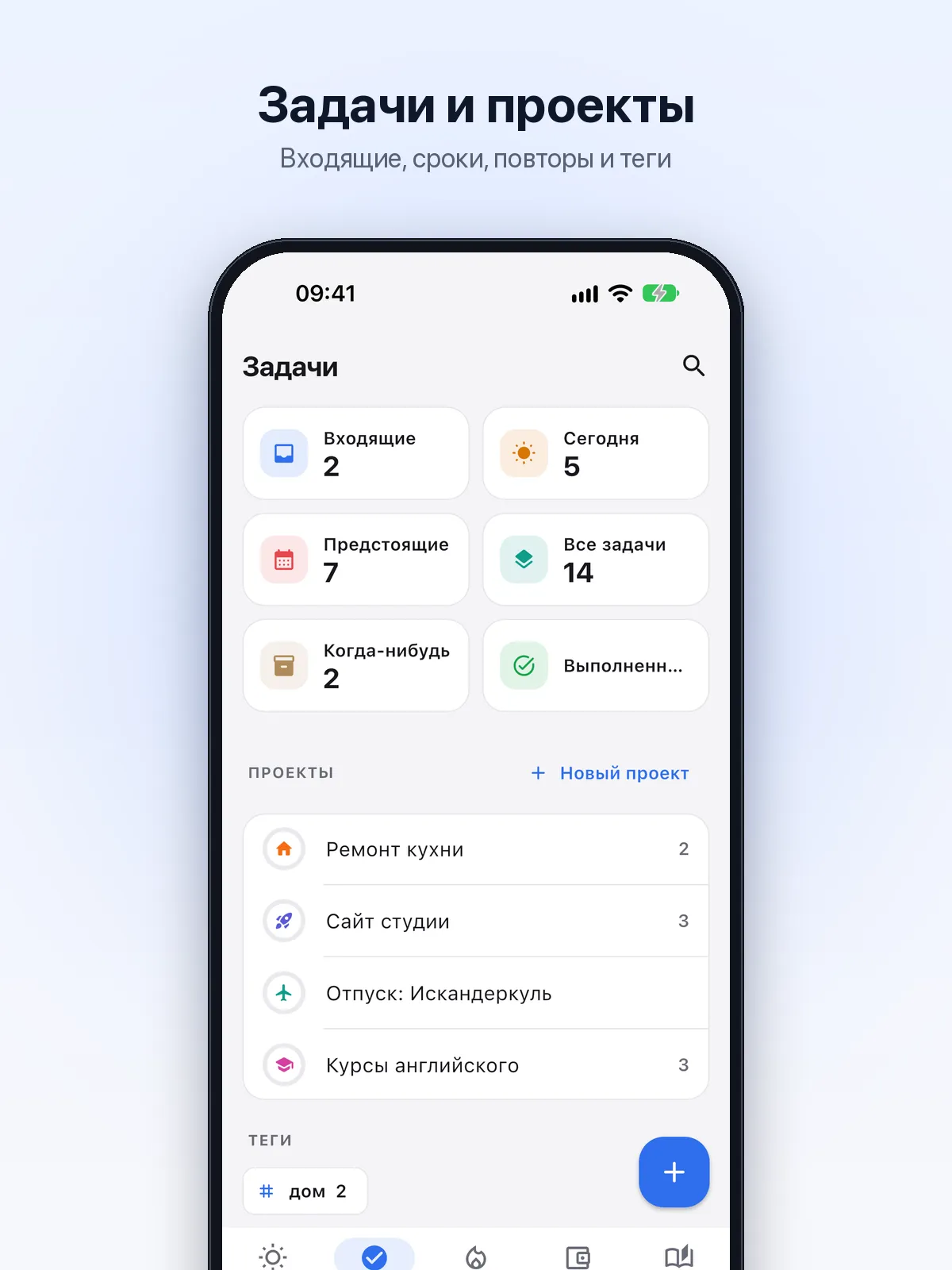
Inbox, today, upcoming, someday and done — the lists fill themselves
Due dates, times, priorities, tags, checklists and repeats of any kind
Reminders with Done and In 1 hour buttons right in the notification
Projects with tasks, a deadline, progress and their own money
Cohorts for courses and businesses
Cohorts, intakes or seasons inside a project: dates, planned income and expenses
Plan vs actual for every line, the cohort’s profit and a chart comparing cohorts
“Create the next cohort” from the previous one in one tap
Habits
Yes/no or a count — glasses, pages, minutes; a weekly schedule or N times a week
Streaks, 30-day consistency, a calendar and reminders
A library of 80+ ready-made habits: health, fitness, learning, money, faith
Money
Multi-currency accounts with rates, transfers and net worth in your main currency
Budgets by category with a spending-pace hint
Recurring payments, debts and savings goals
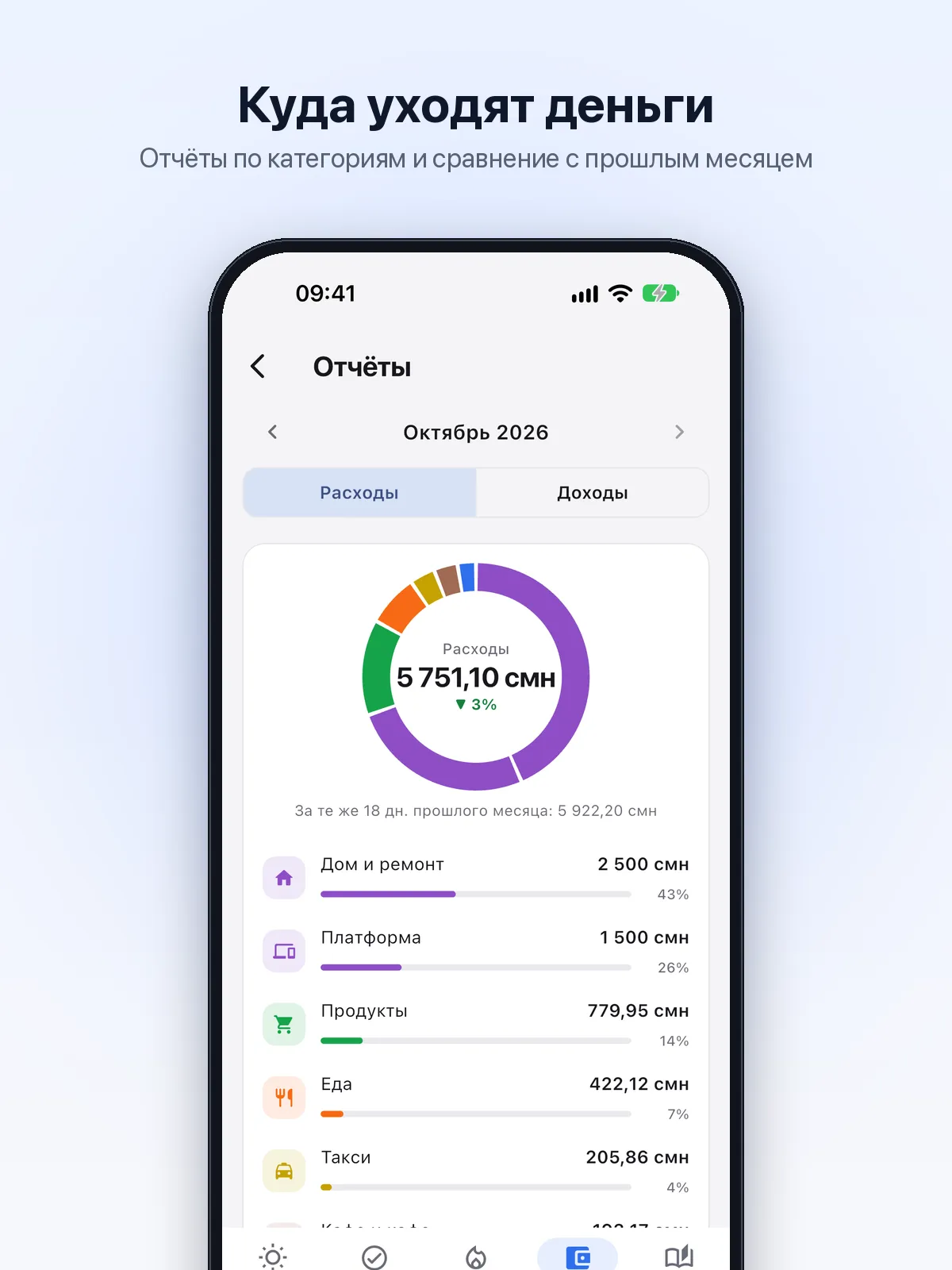
Reports by category, comparison with last month, CSV export
Journal and statistics
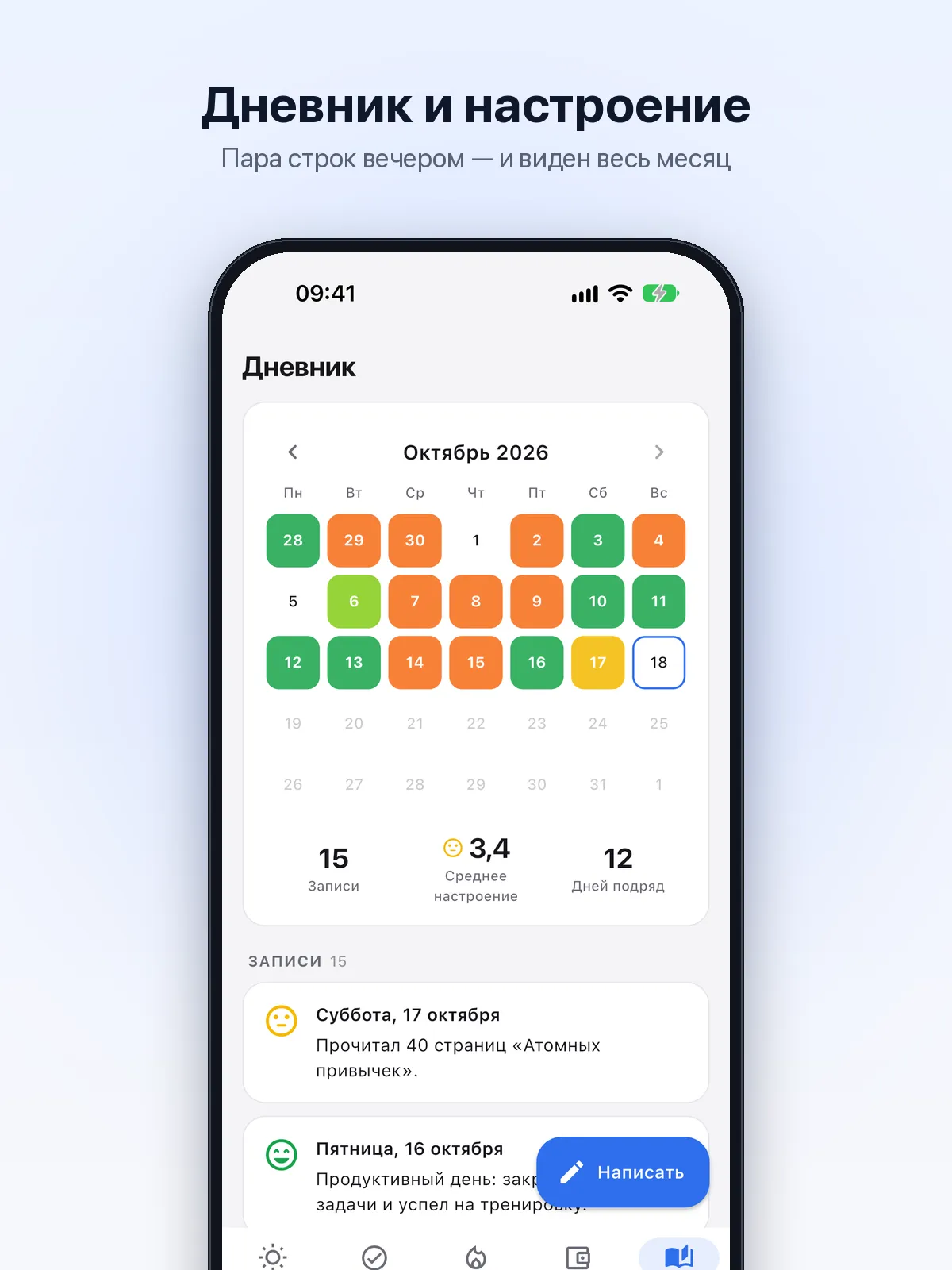
A daily entry, mood and gratitude; a month calendar coloured by mood
Weekly review: results, open tasks and a plan for next week
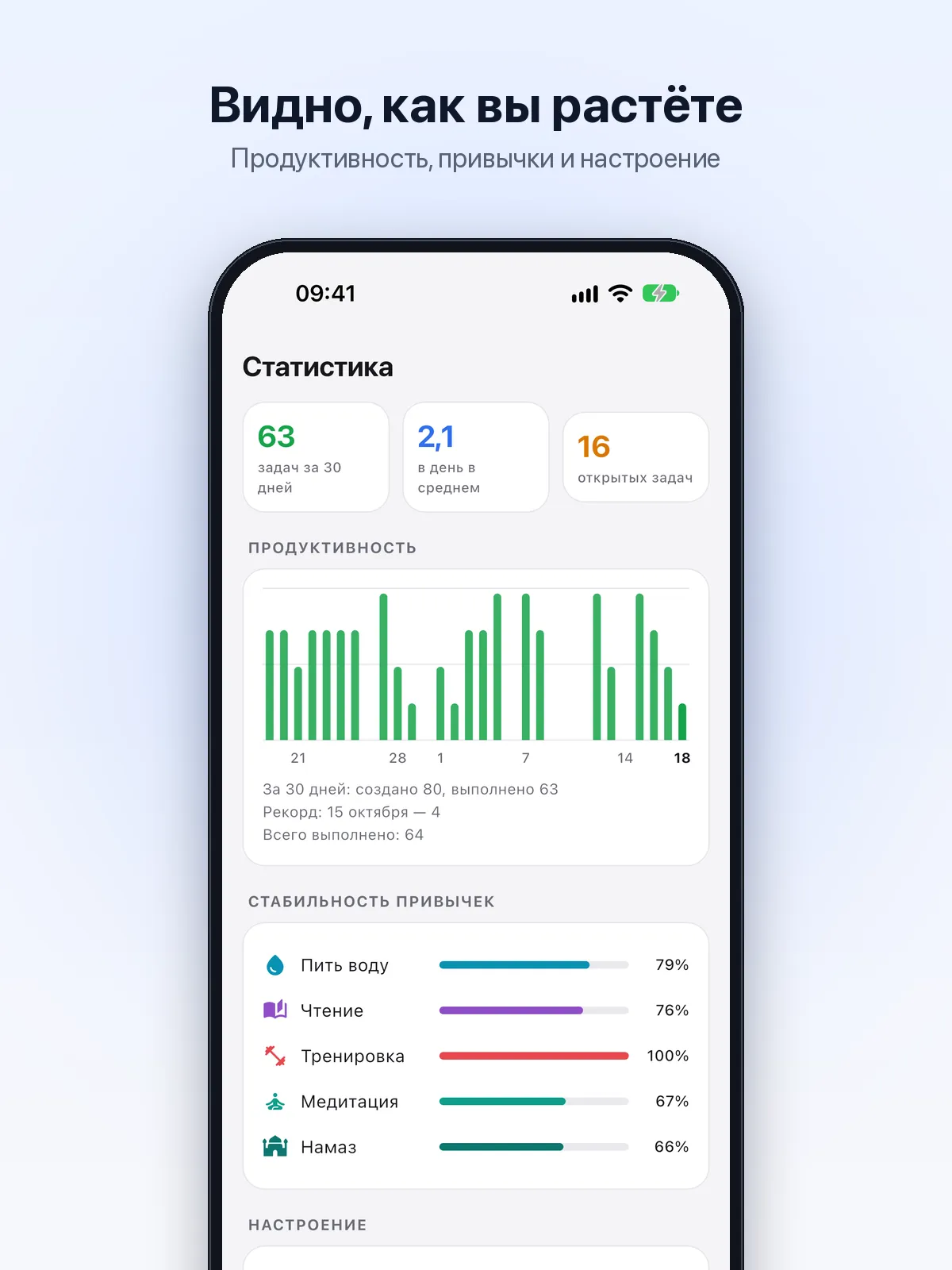
Statistics of productivity, habits and mood over 30 days
Offline, accounts and teams
“Just on this phone” mode: no sign-up, data never leaves the device, backups to a file
Account mode: email, Apple or Google sign-in, sync across devices
Teams: shared projects and wallets, member and viewer roles, invites by link
Face ID or fingerprint lock, no ads and no third-party analytics
Widgets and first run
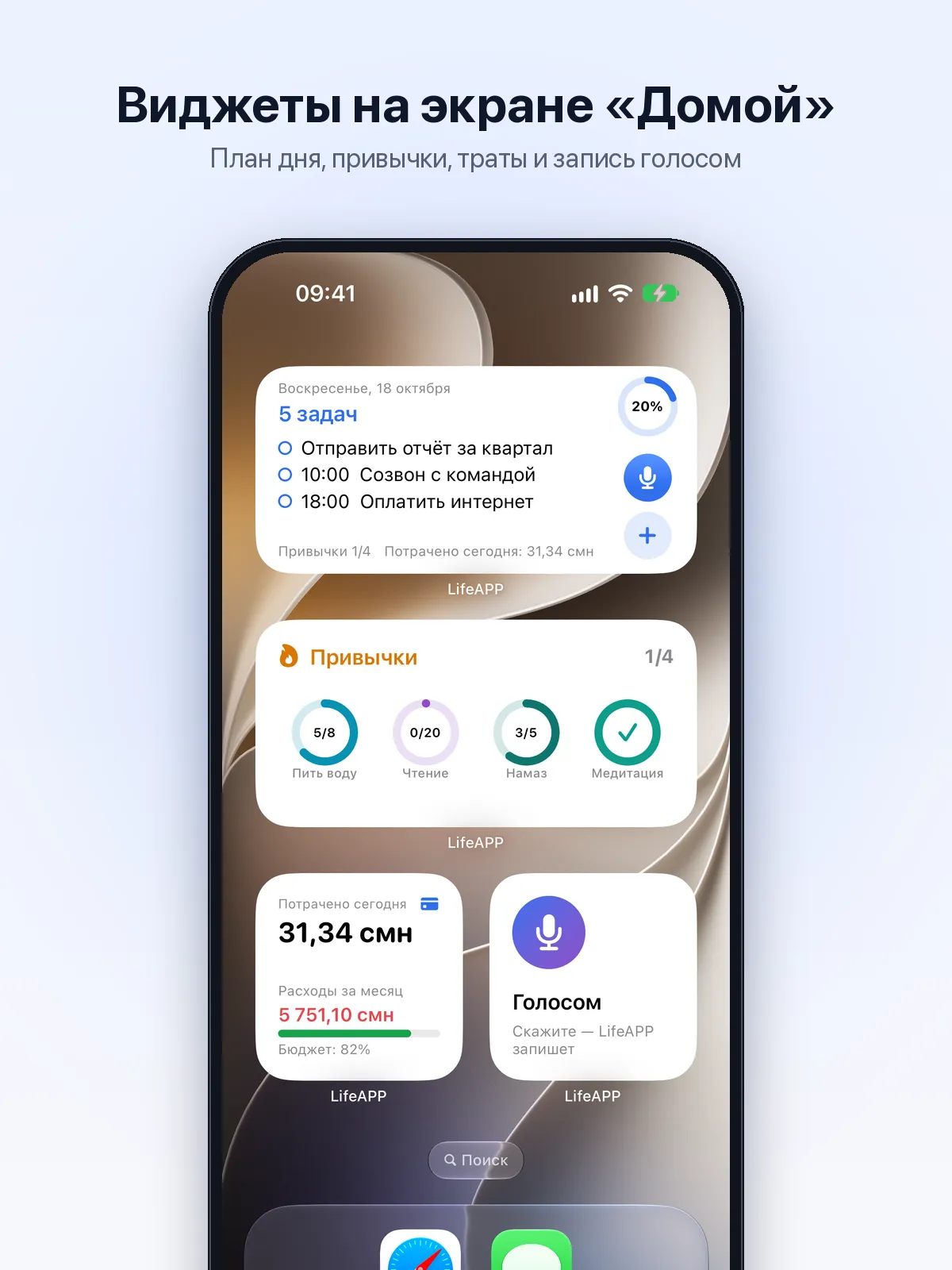
Today, Quick capture, Habits and Money widgets on iPhone and Android, and on the iPhone lock screen
A habit is ticked with a tap on the widget, without opening the app
The widget’s mic button opens voice capture straight away
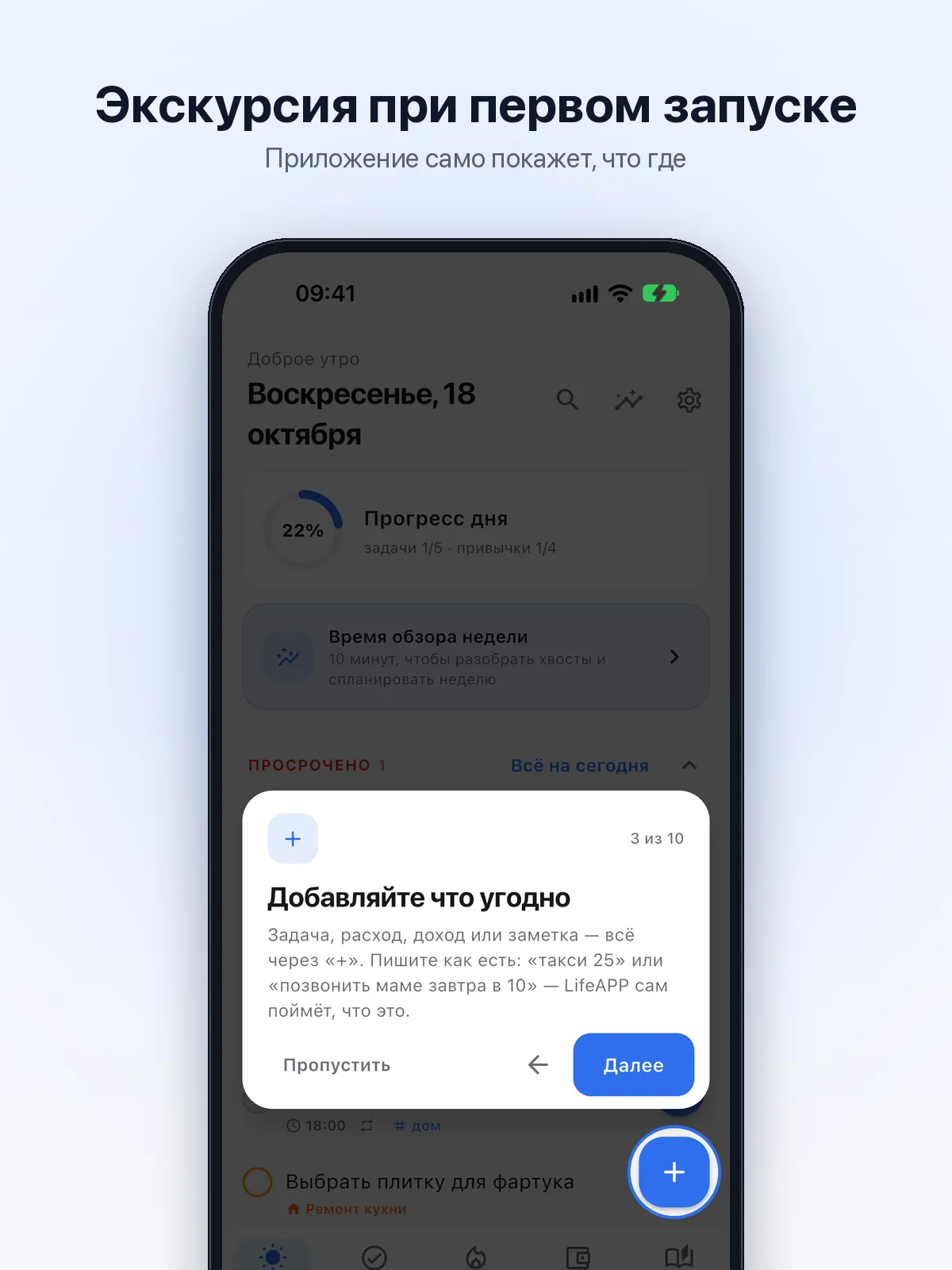
A first-run tour — different for offline and online mode — and a First steps card
Plans and payment
Everything that runs on the phone is free; Plus and Team extend the cloud features
14 days of Plus free for every new account, no card needed
Payment on the website through Alif: Korti Milli, Visa and Mastercard; on iPhone, an App Store subscription
Screenshots
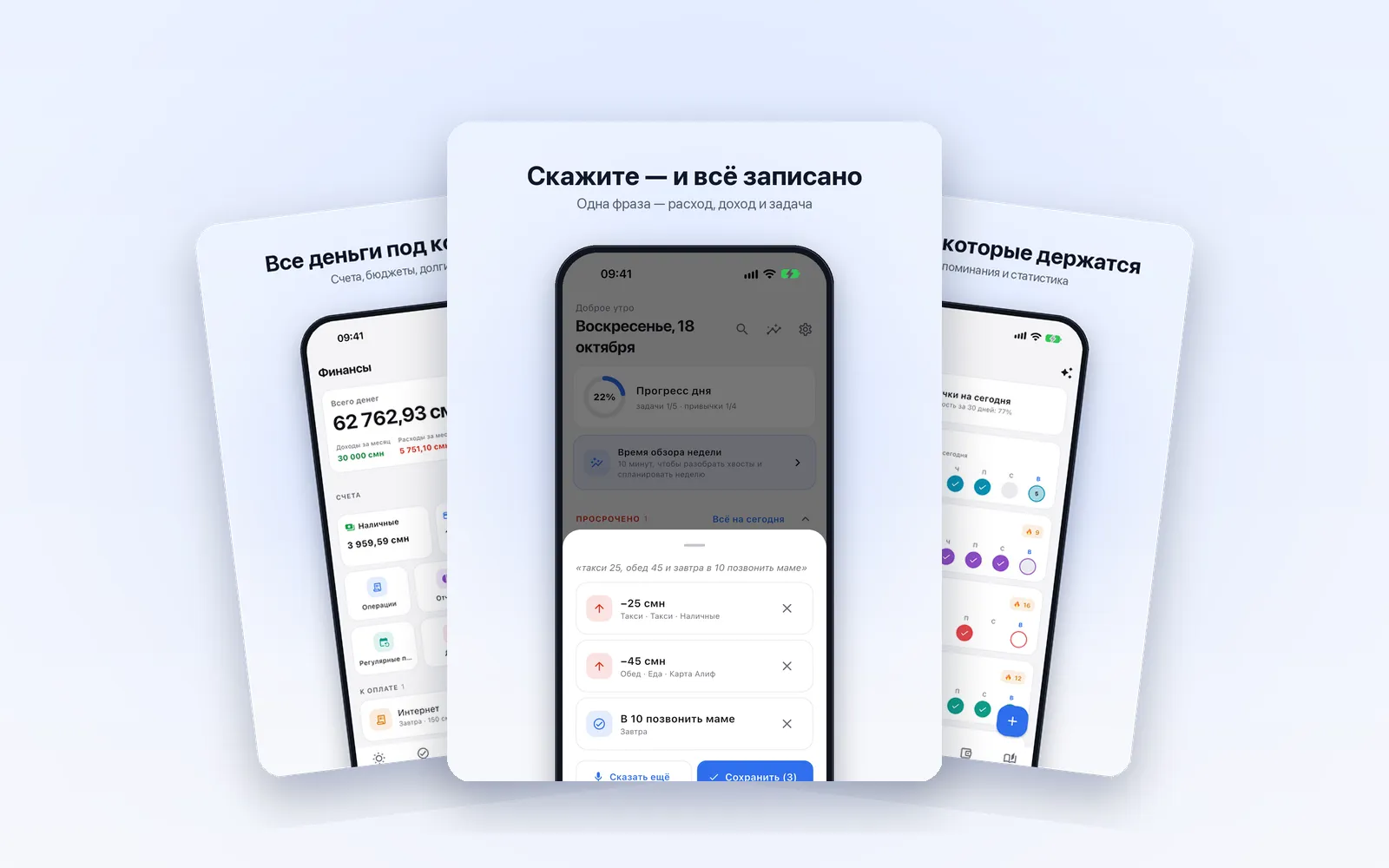
Your whole day on one screenSay it — it’s written downTasks and projectsPlan vs actual for every cohortHabits that stick80+ ready-made habitsAll your money under controlWhere the money goesJournal and moodWatch yourself growHome-screen widgetsA guided tour on first launch
Real app screens with demo data: names and amounts are fictional.